1.X.21 is now the open beta. Anyone with a PRISMATIK account can download it today, and members keep getting each new closed-beta build first. This open build also brings everything we've improved since 1.X.21 first went to members.
1.X.21 opens up the console show itself. Point PRISMATIK at a Titan show file and it tells you what every song is made of: its timecode, its length, the colours it uses and how much of each. It also lists what in the show isn't used any more. And lyrics now travel with your tracks, all the way to the console.
Show Anatomy
Open a Titan show (.d4z) in Show Anatomy and each timeline becomes a card: TC start, length, BPM, and a colour ingredients list — 85% Red, 13% Pink for one song, 53% Congo, 16% Lime, 14% White for the next. Colour from plain cues, key frame shapes and pixel map effects is all counted, and each card shows where it came from. A big touring show reads in a few seconds, and the show file is never changed.
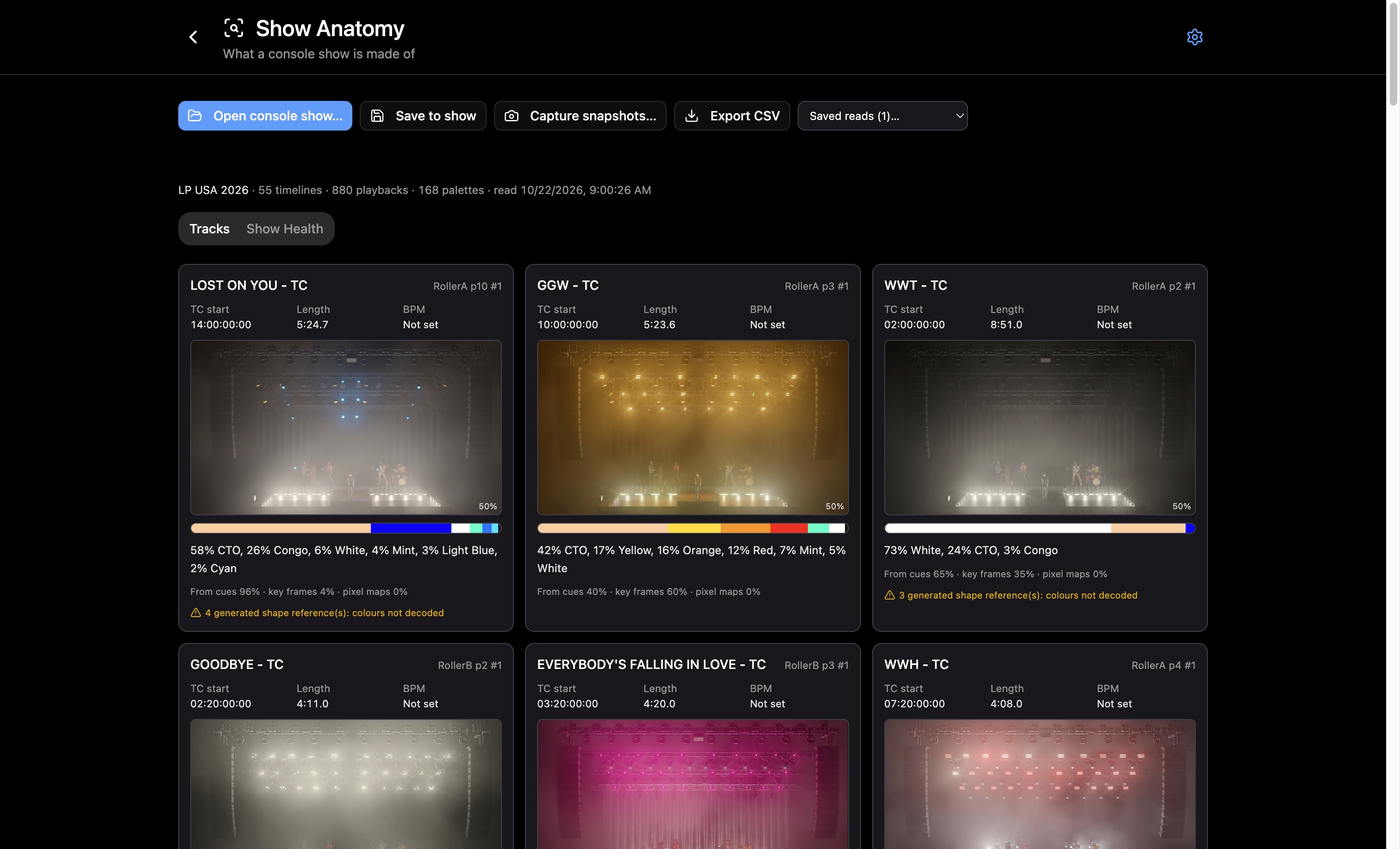
The LP 2026 tour show in Show Anatomy — every song's colours at a glance.
Show Health turns the same read into a tidy-up checklist: empty playbacks, shapes no cue uses any more, palettes nothing references and timelines without triggers, grouped by handle page so a busk page reads as one block. PRISMATIK never deletes anything; you tidy the show on the desk.
Pictures of every song
With Capture on the network, Capture snapshots runs the show to even points through each track and takes a picture from Capture's camera. It plays timecode into your console, so it works with any console that chases LTC. On a Titan you can also play each timeline over the network instead. The pictures sit on each track card, and the whole thing prints from Reports & Documentation ▸ Show Anatomy: the show's overall palette, a card per song with its snapshot, and Show Health as a checklist.
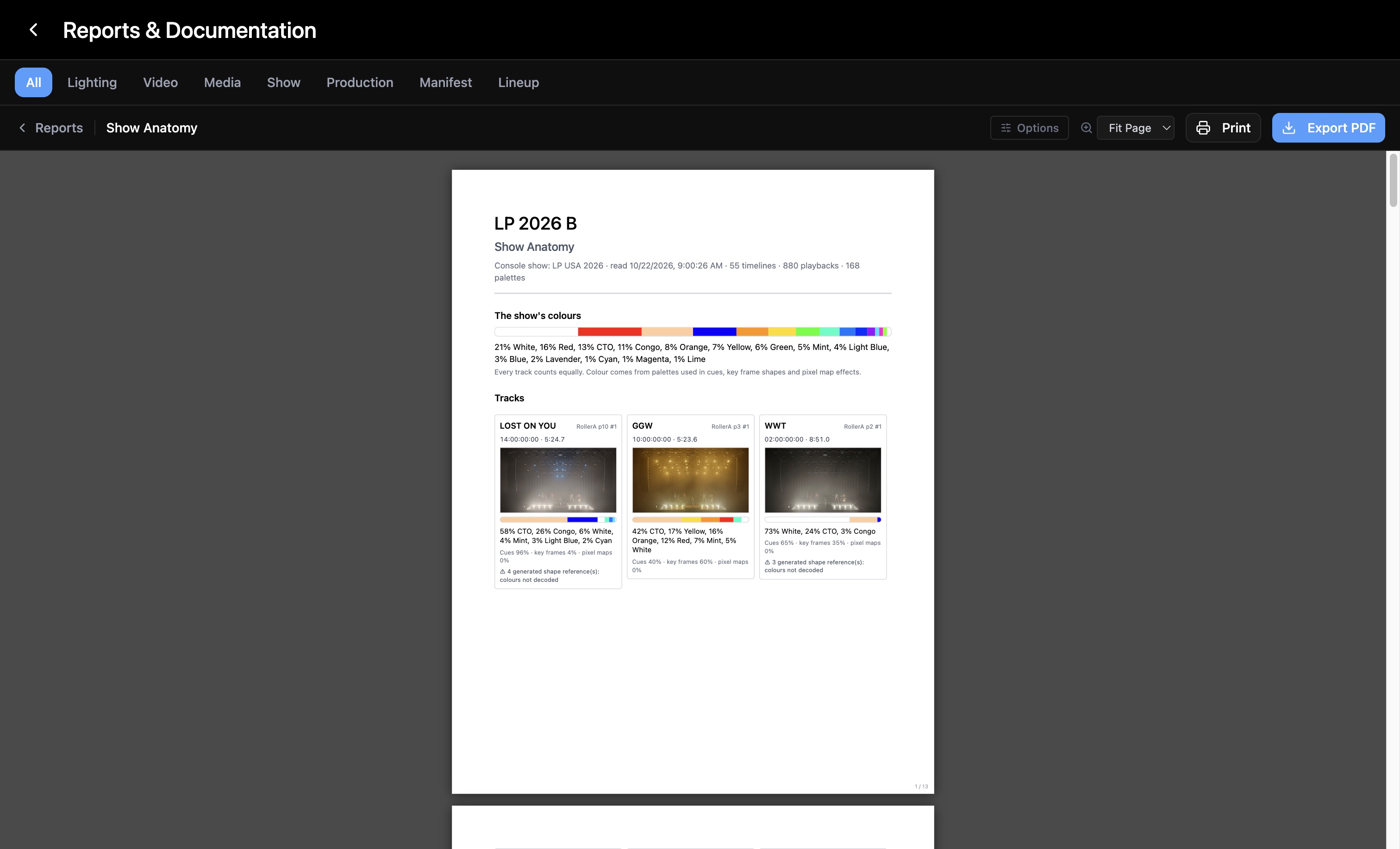
The printable report: colour bars, ingredients and a Capture snapshot for each song.
Lyrics, from the track list to the console
Tracks can now hold their lyrics. Import Lyrics in Setlist Manager reads one file with every song, or a text file per song, and puts each on its track, edits and alternate versions included. The microphone button beside Timeliner's track picker opens them in their own window, ready for a second screen, and Reports ▸ Lyrics prints one song per page.
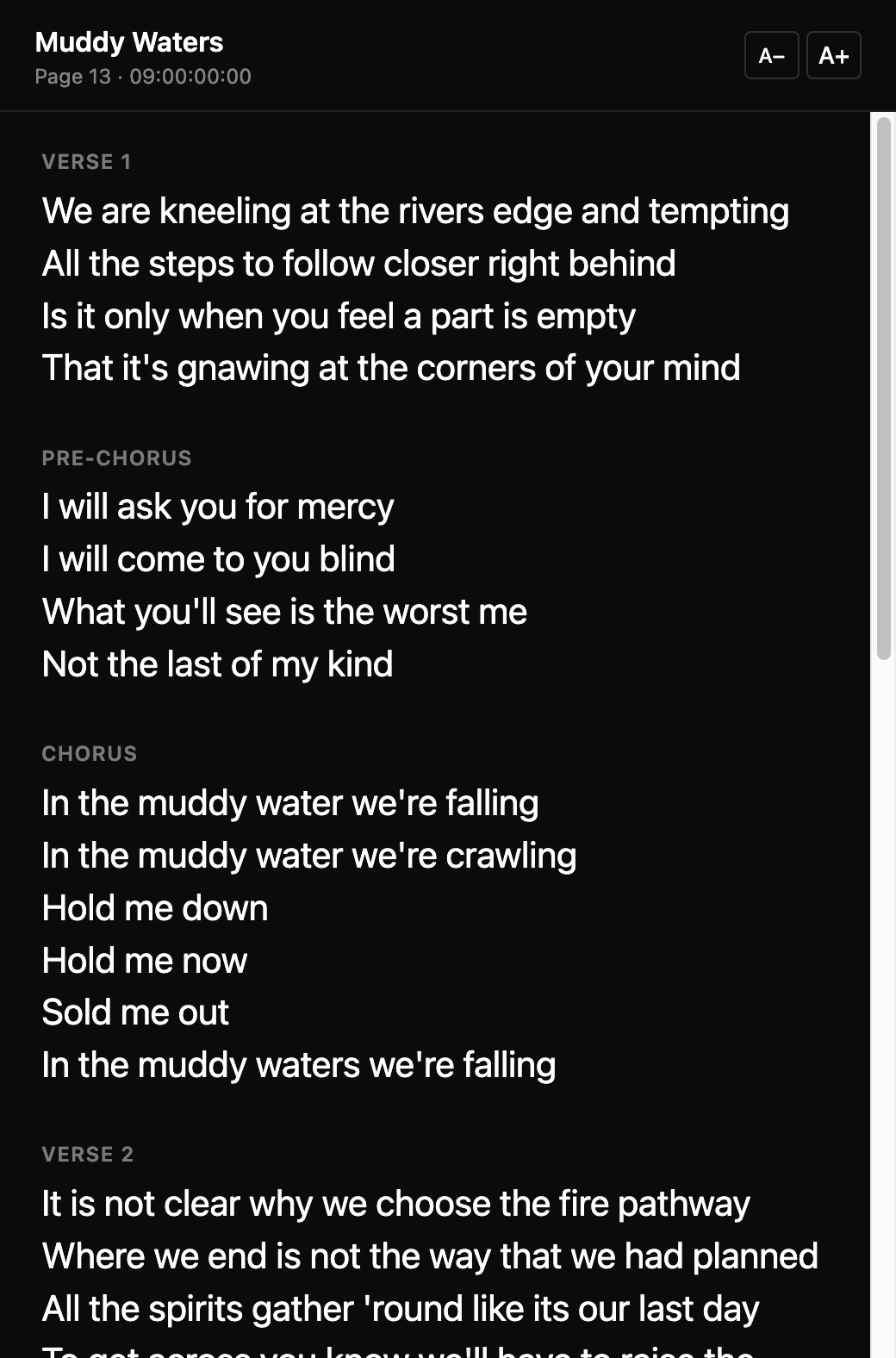
The lyrics window follows whichever track you load in Timeliner.
On a Titan, Send lyrics… puts each song's lyrics into the notes of its set list track, shows you the pairing first and checks every track after writing.
Timeliner exports consoles actually import
Timeliner's exports were rebuilt to the formats each console imports:
- grandMA2 and grandMA3 timecode shows, each layer driving its own sequence
- ETC Eos timecode event lists (USITT ASCII), imported with Merge Data so the rest of your show is left alone
- Reaper project files that open directly, or merge into a project you already have
Step-by-step import instructions for each are in the manual.
And more
- grandMA3 live control: commands with accents arrive intact, a new OSC Prefix setting, and PRISMATIK won't send commands that could stop or replace the show.
- Capture console link: fixtures you add in Capture stay in step when you edit, exchange or delete them.
- PRISMATIK now identifies itself with Creative Integration Studio's own ESTA manufacturer ID in RDM and Art-Net.
Improved since release
- MIDI Timecode out. Timeliner and Conductor can send MTC to a MIDI interface, as well as LTC audio or instead of it. It follows each track's own timecode, so the console sees the same numbers as the audio, and Show Anatomy snapshots can use it too.
- Cleaner audio. Background audio streams that could cause crackle and timecode wobble are gone, and timecode holds steady through short app freezes.
- Conductor plays every song when its outputs are split across devices, Play during a track load no longer ends in "No audio", and long sets stay stable.
- Timeliner has a Reload track button, ruler clicks land exactly where you click, and re-importing a track's audio updates its timecode too.
- Always know what's open. The project name sits under the logo on Home and above the title in every tool, with a dot when there are unsaved changes.
- If the PRISMATIK window ever fails, it now recovers on its own and reports what happened, so we can fix it.
Help us test
1.X.21 is an open beta. We'd especially like to hear how Show Anatomy reads your own Titan shows, how the console imports behave on your desk and software version, and how lyrics look on your console. Send anything unexpected through the in-app bug reporter.
Full details are in the release notes and the manual.